
Download CodeBaby – Conversational AI Avatar Tool for Customer Engagement
Overview
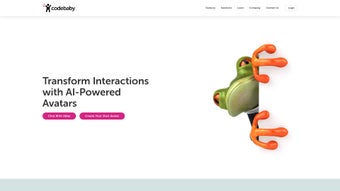
CodeBaby is a next‑generation conversational AI platform that puts a fully animated avatar at the heart of every digital interaction. By blending sophisticated natural‑language processing with a library of highly customizable digital personas, the tool transforms static chat widgets into lively, human‑like assistants capable of answering questions, guiding users through complex workflows, and conveying brand personality through tone, facial expression, and visual style. The “avatar‑first” philosophy ensures that each conversation feels personal, helping customers relate more easily to the technology while allowing brands to build genuine trust.
In addition to its conversational capabilities, CodeBaby complies with WCAG accessibility standards, offering scalable text, audio controls, keyboard navigation, and multi‑modal output such as animated video snippets. This inclusive design guarantees that users with differing abilities receive an equitable experience. By automating routine queries and providing emotional intelligence—recognizing sentiment, adjusting responses, and offering empathy—CodeBaby reduces the workload of support teams and creates a memorable journey that can boost conversion rates, increase average order value, and foster long‑term loyalty.
Whether you run a small e‑commerce shop looking to add a friendly guide or an enterprise seeking to scale personalized support across multiple channels, CodeBaby delivers a secure, scalable, and highly adaptable solution that aligns cutting‑edge technology with genuine human connection. Its cloud‑native architecture, end‑to‑end encryption, and GDPR compliance further reassure businesses that data privacy and regulatory requirements are fully respected.
Key Features & Benefits
- Avatar Library: Choose from a wide range of pre‑designed mascots, realistic human avatars, or upload custom 3‑D models that perfectly match your brand identity.
- Emotion‑Aware AI: Built‑in sentiment analysis detects frustration, excitement, or confusion and responds with appropriate empathy, tone modulation, and body language.
- Multichannel Deployment: Embed avatars on websites, mobile apps, social media messengers, and even in‑store kiosks with a single line of code or native plugin.
- WCAG‑Compliant Accessibility: Scalable text, adjustable audio volume, keyboard navigation, and screen‑reader support ensure inclusive experiences for all users.
- Animated Video Output: Export avatar conversations as short video clips for marketing, training, or social sharing, extending the reach of your brand story.
- Drag‑and‑Drop Flow Builder: Non‑technical users can design complex conversation pathways using a visual canvas, reducing development time and cost.
- Real‑Time Analytics Dashboard: Track engagement metrics, sentiment trends, and conversion impact, then fine‑tune performance based on data‑driven insights.
- Secure Cloud Architecture: End‑to‑end encryption, role‑based access control, and GDPR compliance keep user data safe and audit‑ready.
- Scalable Infrastructure: Auto‑scaling servers handle traffic spikes without latency, guaranteeing a smooth experience during peak campaigns.
- Integration Marketplace: Connect with CRM, help‑desk, e‑commerce platforms, and marketing automation tools via ready‑made connectors or a robust REST API.
The combination of these capabilities means businesses can create a conversational experience that feels both personal and professional. For example, an online retailer can deploy a friendly avatar that greets shoppers, suggests products based on browsing history, and even processes checkout—all while maintaining a tone that reflects the brand’s voice. Meanwhile, the analytics suite surfaces actionable insights such as the most common pain points or the optimal moment to offer a discount, enabling data‑driven optimization of the sales funnel. By automating repetitive tasks, CodeBaby frees human agents to focus on high‑value interactions, ultimately improving efficiency, reducing operational costs, and enhancing overall customer satisfaction. The platform’s modular design also allows you to start small—with a single FAQ bot—and expand gradually into full‑scale, emotion‑aware support across every customer touchpoint.
Installation, Usage & Compatibility
Step‑by‑Step Setup
- Visit the official CodeBaby website and click the Download Free Trial button. Create a secure account using your email or single‑sign‑on (SSO) credentials.
- After email verification, download the installer that matches your operating system—Windows, macOS, or Linux. Mobile users can locate the CodeBaby Companion app in the iOS App Store or Google Play Store.
- Run the installer and follow the guided wizard: accept the license agreement, choose an installation directory, and enable automatic updates to stay current with security patches and new AI models.
- Launch the CodeBaby Dashboard. The first‑time login walks you through an onboarding tour covering avatar selection, basic flow creation, and channel configuration.
- Connect your preferred communication channel (website widget, Facebook Messenger, WhatsApp, Shopify, WordPress, etc.) by copying the generated embed code or using the native plugin for the platform.
- Test the avatar in a sandbox environment. Use the built‑in simulator to preview how the avatar reacts to various user inputs, adjust tone settings, and fine‑tune response timing.
- Publish the avatar to live traffic once you’re satisfied with the conversation flow. Monitor real‑time analytics to ensure the avatar performs as expected and make iterative improvements.
Usage Tips for Maximum Impact
To extract the most value from CodeBaby, start with a single, high‑impact use case—such as answering frequently asked questions or guiding users through product selection—and expand gradually. Leverage the drag‑and‑drop builder to prototype multiple conversation paths, then consult the sentiment analysis dashboard to identify which scripts generate the highest engagement and conversion. Keep the avatar’s personality consistent across all channels; a cohesive brand voice reinforces trust and recognizability. Regularly refresh the knowledge base with new product information, policy updates, or seasonal promotions, and enable “learning mode” so the AI can suggest improvements based on real‑world interactions. Finally, schedule periodic performance reviews using the analytics dashboard to track key metrics such as session duration, bounce rate, and net promoter score (NPS), ensuring the avatar continues to meet business objectives.
Compatibility
CodeBaby’s cross‑platform architecture supports a broad range of operating systems, ensuring you can deploy the solution wherever your customers are.
- Windows 10, 11 (64‑bit)
- macOS 12 Monterey and later
- Linux distributions with kernel 5.4+ (Debian, Ubuntu, Fedora)
- iOS 14+ (via CodeBaby Companion app)
- Android 9+ (via CodeBaby Companion app)
The cloud‑based backend guarantees a consistent avatar experience regardless of the client device, while the local installer handles configuration, offline testing, and secure credential storage. Minimum hardware requirements include 4 GB RAM, a dual‑core processor, and a stable internet connection of at least 5 Mbps for real‑time AI processing. For enterprises with stricter latency requirements, CodeBaby offers a dedicated edge‑node option that brings inference closer to end users.
Pros, Cons, FAQ & Conclusion
What Users Love
- Human‑Centric Interaction: The avatar‑first approach makes conversations feel natural, engaging, and memorable.
- Deep Customization: From visual design to tone of voice, businesses can tailor every aspect to match brand identity.
- Accessibility‑First Design: WCAG compliance ensures inclusive experiences for all users.
- Scalable Architecture: Handles high traffic volumes without performance degradation.
- Comprehensive Analytics: Provides clear insights into engagement, sentiment, and conversion metrics.
- Seamless Multichannel Reach: Deploy avatars across web, mobile, messaging, and in‑store environments with a single configuration.
Areas for Improvement
- Learning Curve for Complex Flows: While the basic builder is intuitive, advanced multi‑branch conversations may require additional training or consulting.
- Enterprise Pricing: Higher‑tier plans can be expensive for small startups or solo entrepreneurs.
- Limited Offline Capability: Real‑time AI processing depends on an internet connection; offline fallback options are minimal.
- Initial Setup Time: Custom avatar creation and integration with legacy systems may take longer than expected.
Frequently Asked Questions
Is CodeBaby suitable for small businesses?
Absolutely. CodeBaby offers a free tier with essential avatar features and a low‑cost starter plan that fits the budget of small businesses while still delivering AI‑driven engagement.
Can I integrate CodeBaby with my existing CRM?
Yes. CodeBaby includes native connectors for Salesforce, HubSpot, Zoho, and provides a REST API for custom integrations, allowing you to sync conversation data directly into your CRM.
How does CodeBaby handle data privacy?
All data is encrypted in transit and at rest. The platform is GDPR‑compliant, offers data residency options, and lets you purge user data on demand.
Do I need programming skills to create an avatar?
No. The visual flow builder lets you design conversations with drag‑and‑drop elements. For advanced customizations, developers can use the JavaScript SDK or the REST API.
What support options are available?
CodeBaby provides 24/7 email support, a live chat help desk, comprehensive documentation, and community forums. Enterprise customers also receive a dedicated account manager.
Conclusion & Call to Action
In a digital landscape where customers expect instant, personalized assistance, CodeBaby stands out by marrying cutting‑edge AI with a truly human‑like avatar experience. Its robust feature set—from emotion‑aware responses and WCAG‑compliant accessibility to real‑time analytics and seamless multichannel deployment—makes it a versatile tool for businesses of any size. While the platform may require an initial learning period for complex flows and the enterprise pricing is on the higher end, the return on investment manifests in higher engagement rates, reduced support costs, and stronger brand affinity. If you’re ready to transform static chat windows into vibrant, conversation‑driven experiences that resonate with your audience, the time to act is now. Download CodeBaby today, start the free trial, and discover how an avatar can humanize your technology and boost conversions.
Pros: Human‑centric interaction, extensive customization, accessibility‑first design, scalable infrastructure, deep analytics, multichannel reach.
Cons: Learning curve for advanced flows, higher enterprise cost, limited offline capabilities, initial setup time.



.png)



